
Waitlist FAQ
What is a waitlist?
When a show is not currently on sale (ex: pre-sale or a sold-out show), the organizer or event may choose to use a waitlist to offer tickets that aren't available to the public.
Do all events have a waitlist?
No, not every event will offer a waitlist, and you'll typically only see one if the event is sold out.
How do I sign up for the waitlist?
On the event's ticketing page, ticket types with a waitlist available will display a Join Waitlist button. Select it to get started.
How is a waitlist request filled?
A waitlist request works like a single order. Everything on it (every ticket type, date, and quantity) is treated as one package that is filled all together or not at all.
Your request is only filled when every item on it is available at the same time. If only some of the tickets on your request open up, nothing happens: you aren't charged, you don't receive partial tickets, and your request stays in line. There is no way to receive some of the tickets on a request and not the others.
If you would be happy getting tickets for one date or ticket type without the others, submit a separate request for each one. Each request is filled on its own.
What happens if one of the dates on my request passes?
The entire request expires, including any dates on it that haven't happened yet. Because a request can only be filled in full, it can no longer be filled once any part of it is no longer available.
To stay in line for the remaining dates, submit a new request for just those dates. The new request is placed at the end of the line based on when it's received.

You'll be taken to the Join the Waitlist page, which shows the available ticket types and a "How it Works" section with details specific to your event. Select Log in to join the waitlist to continue.
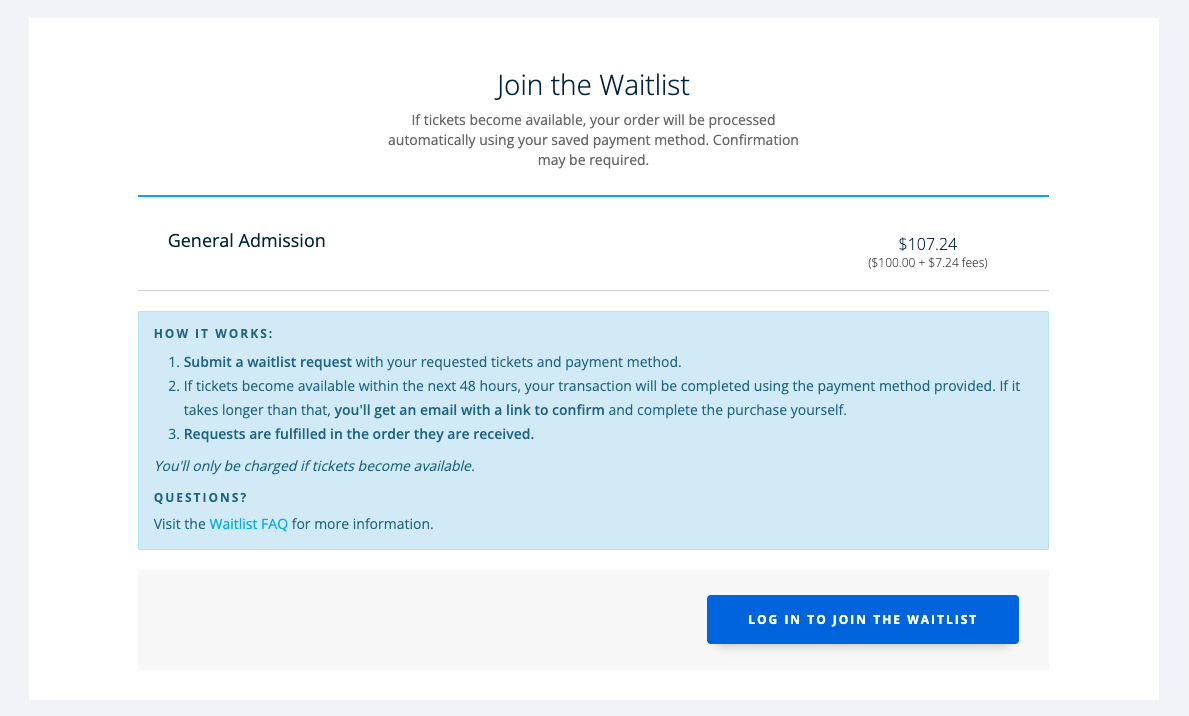
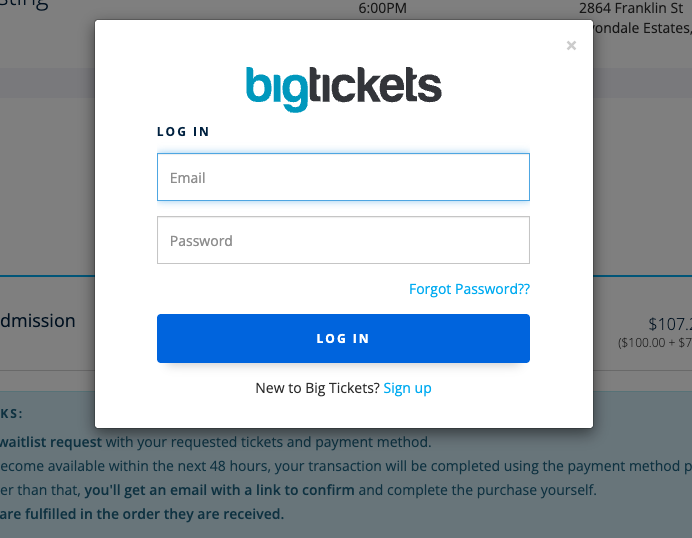
If you already have a Big Tickets account, log in with your email and password.
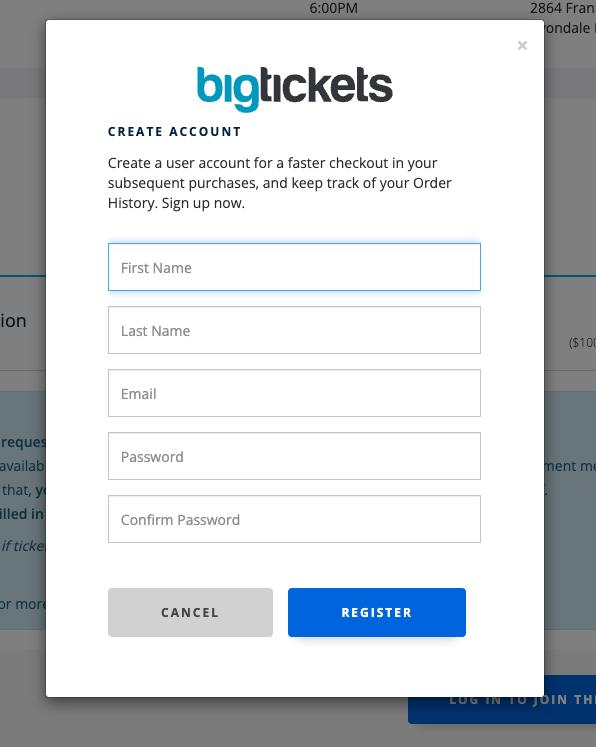
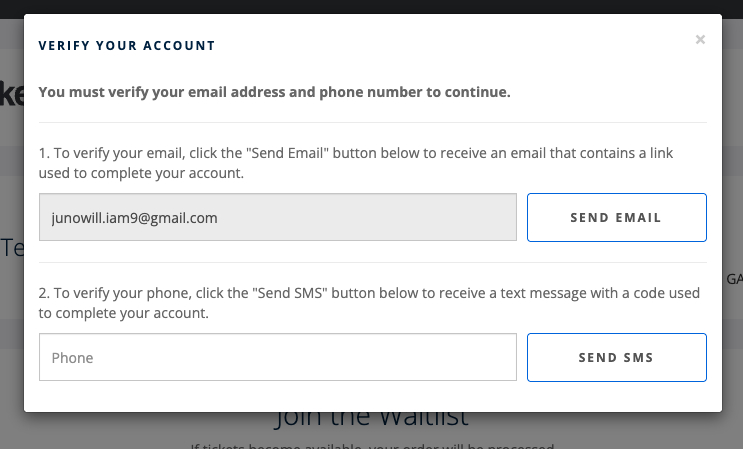
New to Big Tickets? Select Sign up and complete the Create Account form. New accounts must verify both an email address and a phone number before continuing.
Once you're logged in, select the number of tickets you want and submit your billing information. After your request is submitted, you'll receive an email confirmation summarizing your request.
Please note that there is no way to estimate how long it will be until you are next in line. There is no guarantee that you will receive an offer to purchase waitlist tickets.
Will I be charged automatically if tickets become available?
It depends on timing. If tickets become available for everything on your request within 48 hours of submitting it, your order will be processed automatically using your saved payment method. If it takes longer than that, you'll receive an email with a link to confirm and complete the purchase yourself.
You'll only be charged if tickets become available for your full request, and the charge is for the full request. Check the "How it Works" section on the waitlist signup page for details specific to your event.
Please review your stored payment method.
Upon payment, you will receive a ticket delivery email with the requested tickets.
Am I guaranteed a ticket if I'm on the waitlist?
No. Signing up for the waitlist grabs a spot in line but does not guarantee that tickets will be available at a later date.
How many tickets can I request on the waitlist?
The cap for waitlist tickets varies by event. Use the quantity toggle to select your desired number of waitlist tickets in your request.
Can I request more than one type of ticket or more than one date?
You can add multiple items to your waitlist request, but understand how it's filled first. A request is only filled when every item on it is available at the same time, and all of the items are purchased together in one order. You can't receive part of a request and pass on the rest.
Please only request what you intend to purchase. If you'd rather be able to get one date or ticket type without the others, submit a separate request for each one. See "How is a waitlist request filled?" above.
Can I edit my waitlist request after submitting it?
No. Waitlist requests cannot be edited once submitted. If you need to change your request (for example, the ticket type, date, or quantity), you'll need to cancel your existing request and submit a new one.
Please note: Canceling cannot be undone, and a new request is placed at the end of the line based on when it's received. Pricing and availability may also change.
Is there a layaway plan for waitlist tickets?
Currently, layaway is not available for waitlist tickets. You will be charged full price at the time of purchase.
Once I'm on the waitlist, when will waitlist tickets be available?
Waitlist tickets are released as they become available, and requests are fulfilled in the order they are received. A request is only filled when everything on it is available at once. You are not guaranteed tickets by submitting a waitlist request.
Remember: If tickets become available within 48 hours of your request, you will be charged automatically. If you no longer want tickets, log in and cancel your waitlist request. After the first 48 hours, you will not be charged unless you confirm the purchase through the email we send you.
Can I get a refund on some of the tickets after my request is filled?
Once your request is filled, it's a regular order and follows the event's standard refund policy, which is set by the organizer and varies by event. Check the event page or the "How it Works" section on the waitlist signup page for that event's terms.
The safer approach is to request only the dates you're sure about, or to submit one request per date so you're never buying more than you want.
How will waitlist tickets be delivered?
Waitlist tickets will be sent via email as a PDF download.
How do I access my waitlist request in my Big Tickets account?
Log into your Big Tickets account. Select the "Waitlist Requests" tab

Can I cancel my waitlist request if I change my mind?
You can cancel your request anytime by logging into your Big Tickets account and selecting Waitlist Requests > selecting the Actions dropdown > then Cancel Request.
Canceling your request cannot be undone. Pricing and availability of waitlist items may vary if you decide to opt back in at a later time. Once you've canceled your request, you will receive an email confirmation of the cancellation, and you will no longer see this request in your account.

What happens if my card is declined?
If your card is declined, you will receive an email notification and have 24 hours to update your payment method to remain eligible for tickets.
Can I update my payment method after I make the request?
You can update your payment method anytime by logging into your Big Tickets account and selecting Waitlist Requests > selecting the Actions dropdown > then Update Request. Other details of your request, such as ticket type and quantity, cannot be changed. See "Can I edit my waitlist request after submitting it?" above.
